
-250x250.jpg)
-250x250.jpg)



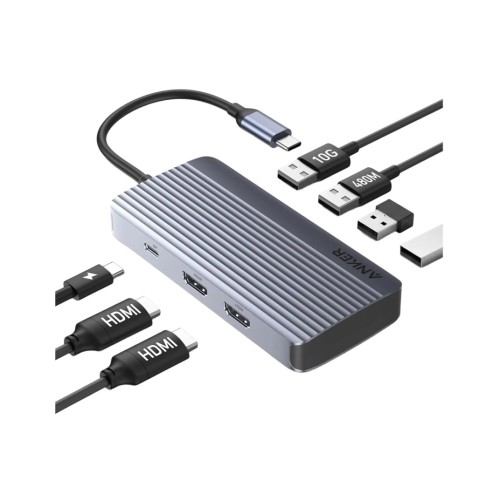
Anker A83740A2 - 7-in-1 USB-C Data Hub Dual 4K HDMI + USB-A 3.2 10Gbps + 2*USB-A 2.0 + USB-C PD 85W, Black
Anker A83740A2
7-in-1 USB-C Data Hub Dual 4K HDMI + USB-A 3.2 10Gbps + 2*USB-A 2.0 + USB-C PD 85W, Black
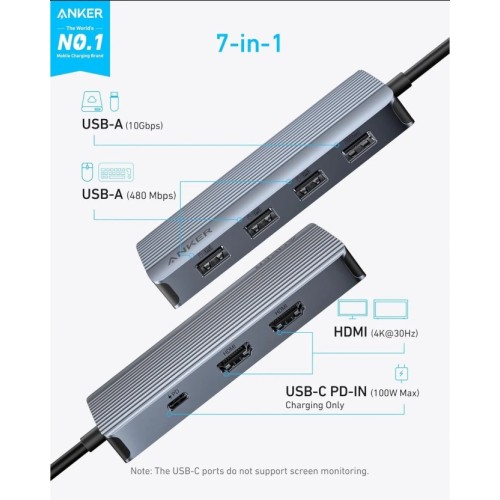
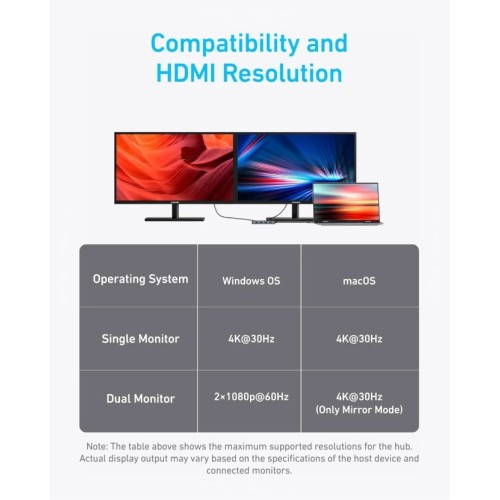
The Anker 7-in-1 USB-C Hub is the ideal solution for those who want to connect multiple devices at once and increase their productivity. With two HDMI ports for Dual Display 1080p@60Hz, one USB-A 3.2 10Gbps port, two USB-A 2.0 and USB-C PD 85W for laptop charging, it turns a USB-C port into a complete workstation. Its construction from high-quality aluminum offers robustness and elegance. Ideal for home offices, professional spaces and mobile workstations.
Features
Key Features
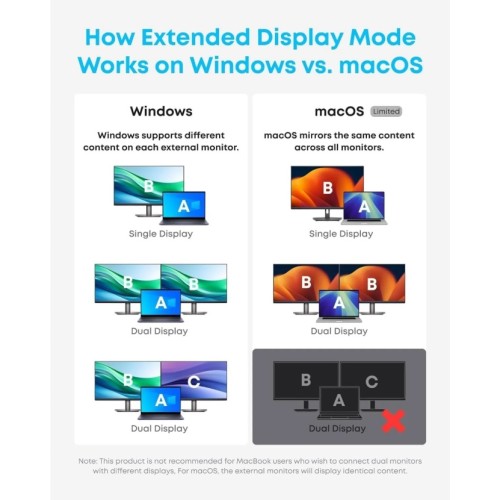
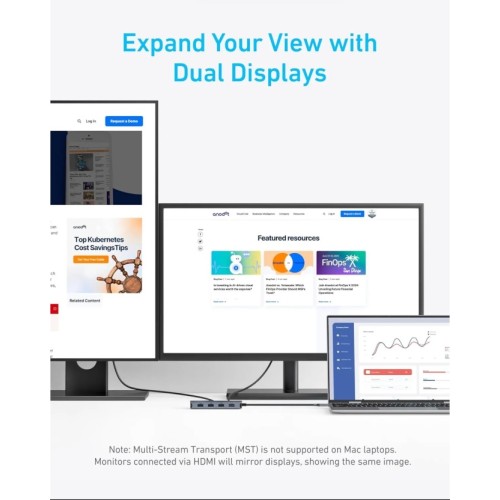
- Dual Display 1080p@60Hz with Mirror or Extended Mode option on macOS
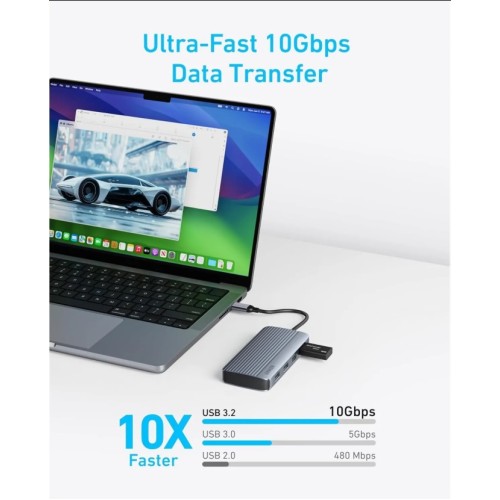
- USB-A 3.2 for fast data transfer up to 10Gbps
- Two USB-A 2.0 for peripherals such as keyboard, mouse or sticks
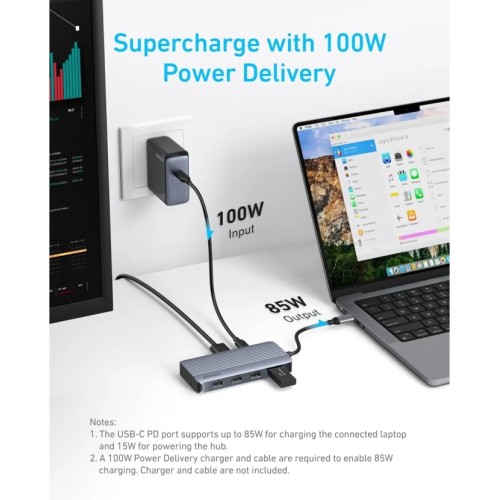
- USB-C PD 85W for charging laptops and other compatible devices
- Plug & Play, no driver installation
- Durable and elegant aluminum metal body
Compatibility
- Supports USB-C / USB4 / Thunderbolt 3, 4, 5
- Compatible with macOS 12+, Windows 10/11 and ChromeOS
- Does not support Linux
- This hub is ideal for those who need multiple connections, fast data transfer and high-power charging in one compact and stylish device.
Details
- Notes 1: USB-C and USB-A ports do not support charging peripherals.
- Notes 2: This hub is not compatible with Switch or SuperDrive.
- Notes 3: The maximum resolution for extended displays on Windows laptops is determined by the capabilities of their graphics card.
- Notes 4: Multi-Stream Transport (MST) is not supported on Mac laptops. Displays connected via HDMI will mirror displays, displaying the same image.
- Notes 5: To take full advantage of the display capabilities of iPad Pro (M1), connect a USB 3.0 drive to the 10Gbps USB-A port.
- Q: Why is there a large difference in resolution between two displays when Windows is dual-displayed?
Step 1: Reduce high-resolution displays
1. Go to System Settings > Display > Advanced Display. 2. Under "Select a display to view or change its settings," select the high-resolution display (e.g., Display 2). 3. Click "Display adapter properties for [display]." 4. Select "List all features," select a lower resolution, such as 1920x1080 at 60Hz, and apply the changes.
Step 2: Improve low-resolution displays
5. Repeat the steps for the low-resolution display. 6. In the "Select a display" section, select the display with the lowest resolution. 7. Follow the same adjustment process to increase the resolution to the desired level.
The set contents
1x Anker A83740A2 - 7-in-1 USB-C Data Hub Dual 4K HDMI + USB-A 3.2 10Gbps + 2*USB-A 2.0 + USB-C PD 85W, Black
- Views: 204
-

- Product Code: 906001
- Availability: 1
- 44.90€
- Ex Tax: 36.21€

Nordic USB-HUB891 - 10-port Powered Data Hub & Charger, with Individual Switch & Power Adapter
Nordic USB-HUB89110-port Powered Data Hub & Charger, with Individual Switch & Power AdapterE..
54.90€ Ex Tax: 44.27€

Ugreen 15495 - Revodok 5-In-1 Usb-C Data Hub-Hdmi/4K 100W
Ugreen 15495Revodok 5-In-1 Usb-C Data Hub-Hdmi/4K 100WThe Ugreen CM478 USB-C Hub turns a single USB-..
14.90€ Ex Tax: 12.02€

Anker A83790A2 - 8-in-1 USB-C Hub, Triple Display Docking Station, 4K HDMI * 2 + VGA + USB-A & C 5Gbps & PD 85W
Anker A83790A28-in-1 USB-C Hub, Triple Display Docking Station, 4K HDMI * 2 + VGA + USB-A & C 5G..
59.90€ Ex Tax: 48.31€

Anker A2154G11 - Desktop Charger 112W 6-Port USB Charging Hub with 3 PD/PIQ3.0 Ports & 3 USB-A, & Cable Organizer, Black
Anker A2154G11Desktop Charger 112W 6-Port USB Charging Hub with 3 PD/PIQ3.0 Ports & 3 USB-A, &am..
44.90€ Ex Tax: 36.21€
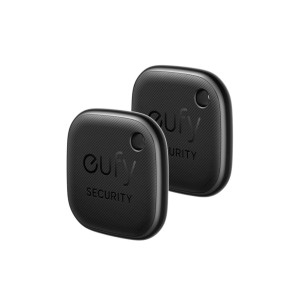
Anker E87B0011 Eufy SmartTrack Link - Waterproof Bluetooth Tracker for Headphones, Phone & Luggage, Compatible with Find My (iOS), Set of 2
Anker E87B0011 Eufy SmartTrack LinkWaterproof Bluetooth Tracker for Headphones, Phone & Luggage,..
36.90€ Ex Tax: 29.76€
Anker A8334HA1 - PowerExpand 5-in-1 Premium USB C Data Hub - HDMI/4Κ + Card Reader + USB 3.0*2 Ports
Anker A8334HA1PowerExpand 5-in-1 Premium USB C Data Hub - HDMI/4Κ + Card Reader + USB 3.0*2 PortsThe..
34.90€ Ex Tax: 28.15€
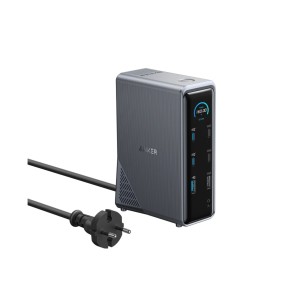
Anker A83B63A1 - Prime Docking Station 14 Ports 160W Max, 10Gbps Data Transfer, 5*USB-C, 5*USB-A, 2*HDMI 4k@60Hz, Ethernet & Aux
Anker A83B63A1Prime Docking Station 14 Ports 160W Max, 10Gbps Data Transfer, 5*USB-C, 5*USB-A, 2*HDM..
189.90€ Ex Tax: 153.15€
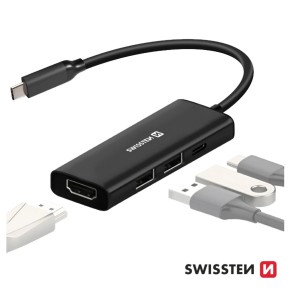
Swissten 44040201 - 4-in-1 USB C Data Hub - HDMI/4K*1 + USB3.0 + USB2.0 + USB-C 100W PD Charging
Swissten 440402014-in-1 USB C Data Hub - HDMI/4K*1 + USB3.0 + USB2.0 + USB-C 100W PD ChargingCompact..
11.90€ Ex Tax: 9.60€